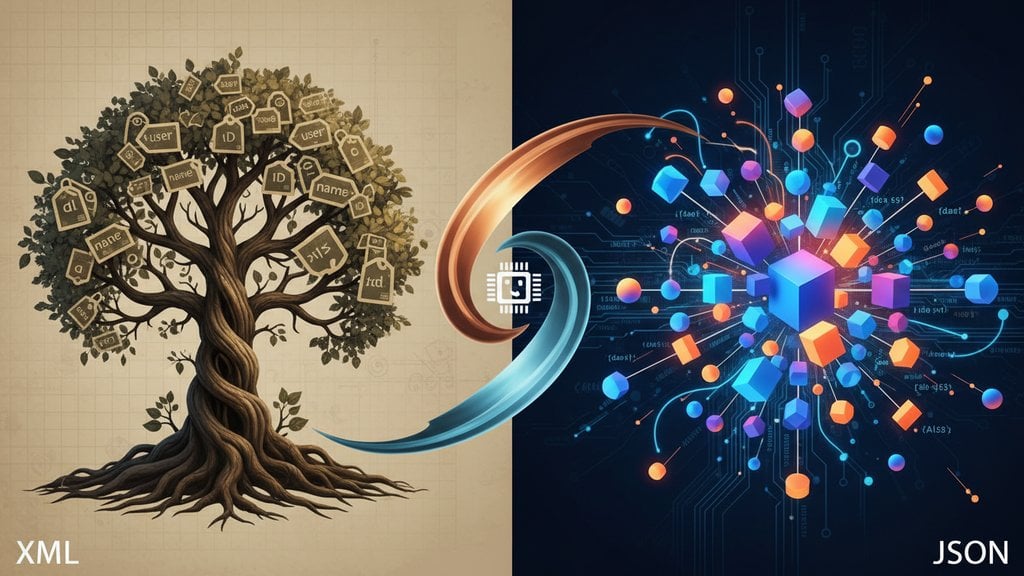
XML and JSON are both data interchange formats designed to structure and transfer data between systems, but they take very different approaches to doing it. JSON has become the dominant choice for REST APIs and modern web development, while XML still holds firm in enterprise systems, SOAP services, and document-heavy workflows. Understanding the real difference between JSON and XML helps you make smarter decisions when designing APIs or integrating systems.
Content Table
Syntax and Structure Compared
XML (Extensible Markup Language) uses a tag-based syntax borrowed from HTML. Every piece of data is wrapped in opening and closing tags, and elements can carry attributes. It was designed with documents in mind, and that shows: it is verbose, self-describing, and highly flexible.
JSON (JavaScript Object Notation) uses a key-value pair syntax derived from JavaScript object literals. It has six data types built in: strings, numbers, booleans, null, arrays, and objects. That simplicity is both its strength and its limitation.
Here is a quick structural comparison:
- XML : uses opening/closing tags, supports attributes, allows mixed content (text + child elements), requires a single root element, and supports namespaces.
- JSON : uses curly braces for objects and square brackets for arrays, has no attribute concept, only supports typed values, and has no namespace system.
The Same Data in Both Formats
The fastest way to feel the difference between JSON and XML is to write the same data in both. Here is a user record with a list of roles:
In XML:
<?xml version="1.0" encoding="UTF-8"?>
<user id="42">
  <name>Sarah Chen</name>
  <email>sarah@example.com</email>
  <active>true</active>
  <roles>
    <role>admin</role>
    <role>editor</role>
  </roles>
</user>
In JSON:
{
  "id": 42,
  "name": "Sarah Chen",
  "email": "sarah@example.com",
  "active": true,
  "roles": ["admin", "editor"]
}
The JSON version is about 40% shorter for this example. The XML version carries more structural metadata (the declaration line, attributes, explicit closing tags) but also expresses things JSON cannot, like the
id="42"
as an attribute separate from child elements. In JSON, there is no attribute concept at all. Every piece of data is just another key in the object.
Performance and Readability
JSON wins on both counts for most modern use cases.
- Payload size : JSON is consistently smaller than equivalent XML. Benchmarks vary by data shape, but 20-40% smaller is a reasonable ballpark. Over millions of API calls, that adds up.
-
Parse speed
: JSON parsing is faster in virtually every language because the format maps directly to native data structures.
JSON.parse()in JavaScript is a single built-in call. XML requires a DOM or SAX parser, which is significantly heavier. - Human readability : Most developers find JSON easier to read at a glance. XML becomes noisy quickly because every value is surrounded by two tags.
- Schema and validation : XML has a mature, powerful schema system (XSD). JSON Schema is catching up, but XSD can express constraints like cross-field validation and content models that JSON Schema still handles awkwardly. If you are working with JSON APIs, our article on JSON Schema validation covers how to enforce data integrity effectively.
Where XML Still Dominates
XML is not going anywhere in these areas:
SOAP APIs and Enterprise Middleware
SOAP (Simple Object Access Protocol) is built entirely on XML. Banking systems, insurance platforms, government services, and large ERP systems (SAP, Oracle) use SOAP extensively. WSDL (Web Services Description Language), which defines SOAP service contracts, is also XML. These systems are not being rewritten anytime soon.
RSS and Atom Feeds
Every RSS feed you have ever subscribed to is XML. The RSS 2.0 and Atom 1.0 specifications are XML-based, and the entire podcast ecosystem runs on RSS. No one is migrating this to JSON.
Microsoft Office File Formats
The .docx, .xlsx, and .pptx formats are actually ZIP archives containing XML files. Open a .docx in a ZIP extractor and you will find
word/document.xml
inside. The
Office Open XML (OOXML) standard
is maintained by ECMA International and is deeply XML-based.
SVG Graphics
Scalable Vector Graphics are XML. Every SVG file you embed in a web page is a valid XML document. This is not changing.
Configuration and Build Systems
Maven (Java build tool), Android's
AndroidManifest.xml
, Spring Framework configuration, and many CI/CD pipeline definitions still use XML. These are deeply embedded in their ecosystems.
Where JSON Has Become the Standard
For REST API formats, JSON is the clear default. Here is where it has essentially won:
- REST APIs : The vast majority of public REST APIs (GitHub, Stripe, Twilio, Slack, Google APIs) return JSON. It is the expected format.
-
JavaScript and browser apps
: JSON is native to JavaScript. No parsing library needed.
fetch()+response.json()and you are done. - NoSQL databases : MongoDB stores BSON (Binary JSON). CouchDB, Firestore, DynamoDB, and Elasticsearch all use JSON-like document models natively.
- Mobile APIs : iOS and Android SDKs have efficient JSON parsers built in. XML parsing on mobile is slower and more memory-intensive.
- GraphQL : GraphQL responses are always JSON. The spec does not support XML.
- Serverless and microservices : Lambda functions, Cloud Functions, and microservice architectures almost universally use JSON for inter-service communication.
Is XML Dead?
No, but its territory has shrunk significantly. A decade ago, XML was used for almost everything: APIs, config files, data storage, UI layouts (Android used XML for layouts until Jetpack Compose), and more. Today, JSON has displaced it in most new development, and YAML has taken over many configuration use cases.
What XML has lost is the "default choice for new projects" status. What it has kept is everything it was already embedded in. The installed base is enormous. SOAP APIs in financial services are not being replaced. RSS is not going away. The Office file format is not changing. SVG is not changing. So XML is very much alive, just no longer growing.
The honest answer for technical architects: if you are designing a new API today with no legacy constraints, use JSON. If you are integrating with an existing enterprise system or a SOAP service, you are working with XML whether you like it or not. Both skills matter.
When to Choose XML vs JSON
Here is a practical decision framework:
Choose JSON when:
- You are building a REST API consumed by web or mobile clients.
- Your data maps cleanly to objects and arrays (most application data does).
- You want fast parsing and small payloads.
- Your team is primarily working in JavaScript, Python, Go, or any modern language with native JSON support.
- You are integrating with modern third-party APIs (they will almost certainly speak JSON).
Choose XML when:
- You are integrating with a SOAP service or any system that mandates XML.
- Your data is genuinely document-like (mixed content, text with embedded markup).
- You need the full power of XSD for schema validation and complex constraints.
- You are generating or consuming RSS/Atom feeds.
- Your output needs to be transformed via XSLT into HTML or another format.
- You are working in a regulated industry where XML-based standards (HL7 for healthcare, XBRL for financial reporting) are mandated.
Quick Comparison Table
| Feature | XML | JSON |
|---|---|---|
| Syntax style | Tag-based markup | Key-value pairs |
| Verbosity | High (opening + closing tags) | Low |
| Attributes support | Yes | No |
| Native data types | Strings only (XSD adds types) | String, number, boolean, null, array, object |
| Comments | Supported | Not supported |
| Namespace support | Yes | No |
| Schema validation | XSD (mature, powerful) | JSON Schema (growing) |
| Parse performance | Slower (DOM/SAX parsers) | Faster (native in most runtimes) |
| Primary use today | SOAP, RSS, Office formats, SVG | REST APIs, NoSQL, web/mobile apps |
| Typical REST API format | Rarely (unless SOAP) | Yes, the default |

Convert XML to JSON instantly, right in your browser
Working with legacy XML data and need it in JSON for a modern REST API? Our XML to JSON converter handles the transformation client-side with no data ever leaving your machine, making the XML vs JSON switch painless.
Try the XML to JSON Converter →
Yes, technically a REST API can return XML. REST is an architectural style, not a format requirement. Some older REST APIs and many enterprise APIs do return XML. However, JSON has become the de facto standard for REST API formats because it is lighter, faster to parse, and directly usable in JavaScript. If you are building a new REST API today, JSON is the expected default unless you have a specific reason to use XML.
XML supports several things JSON simply cannot express: element attributes (metadata separate from content), mixed content (text with embedded child elements), XML namespaces for avoiding naming conflicts across schemas, comments inside the document, and XSLT transformations. XML also has a more mature and expressive schema system in XSD, which can define complex content models, cross-field constraints, and inheritance that JSON Schema still handles less elegantly.
For typical API payloads, yes. JSON parsing is faster in virtually every modern runtime because the format maps directly to native data structures. XML requires a DOM or SAX parser, which involves more memory allocation and processing. The payload size difference (often 20-40% smaller for JSON) also reduces network transfer time. For very large document-heavy XML with complex structure, a streaming SAX parser can be efficient, but for API-style data exchange, JSON wins on speed.
SOAP was designed around XML from the ground up. The SOAP envelope, SOAP headers, WSDL service descriptions, and WS-Security standards are all XML-based specifications. Migrating a large enterprise SOAP service to REST/JSON is a significant project involving re-specifying contracts, updating client libraries, and rewriting integration points. For industries like banking, insurance, and healthcare where these systems have been running for 15-20 years, the cost and risk of migration rarely justifies it.
The conversion is not always perfectly symmetrical because XML has concepts (attributes, namespaces, mixed content) that do not map cleanly to JSON. Most conversion tools handle common cases well: elements become keys, repeated elements become arrays, and attributes are typically merged into the object. For quick conversions without writing code, browser-based tools like the XML to JSON converter on DevToolBox process everything locally so your data never leaves your machine.
JSON for almost every new API. The developer tooling, client library support, documentation standards (OpenAPI), and ecosystem expectations all center on JSON. The only exceptions are if you are building a SOAP service for an enterprise system that mandates it, working in a domain with XML-based regulatory standards (HL7 FHIR in healthcare still has XML variants, XBRL in finance), or building something that generates document-like output where XML's rich content model is genuinely needed.