If you've ever stared at a string of ones and zeros and wondered what they actually mean in practical terms, you're not alone. A binary to decimal converter is one of those developer tools that seems simple on the surface but saves real time when you're deep in a debugging session or reviewing network configurations. Whether you're working with file permissions, bitwise flags, IP subnet masks, or CSS color values, understanding binary to decimal conversion is a foundational skill that pays off constantly in real-world development work.
Content Table
Key Takeaways:
- Binary (base 2) uses only 0s and 1s; decimal (base 10) is the standard human-readable number system.
- Binary to decimal conversion follows a positional value system based on powers of 2.
- Developers encounter binary in file permissions, bitwise operations, color values, and networking.
- DevDeck's free Binary to Decimal Converter handles conversions instantly, directly in your browser.
What Is the Binary Number System?
The binary number system, also called base 2, is the language of computers. Every piece of data your machine processes, stores, or transmits ultimately breaks down into binary digits (bits): either a 0 or a 1. This is because computer hardware is built on transistors that operate in two states - on or off, high voltage or low voltage.
The decimal system you use every day is base 10. It has ten digits (0 through 9), and each position in a number represents a power of 10. Binary works the same way structurally, but each position represents a power of 2 instead. That shift is the entire foundation of number system basics that every developer eventually needs to internalize.
Understanding the relationship between base 2 to base 10 conversion is not just academic. It directly affects how you read compiler output, interpret system flags, and troubleshoot low-level issues.
How to Convert Binary to Decimal Step by Step
The process for how to convert binary to decimal is straightforward once you understand positional notation. Here is the method, broken into clear steps:
- Write down the binary number. For example:
10110101 - Assign positional values. Starting from the rightmost digit (position 0), each position corresponds to a power of 2: 2⁰, 2¹, 2², 2³, and so on moving left.
- Multiply each bit by its positional value. If the bit is
1, include that power of 2. If it is0, skip it. - Add all the resulting values together. The sum is your decimal number.
Let's walk through 10110101 in detail:
Position:  7    6    5    4    3    2    1    0
Bit:       1    0    1    1    0    1    0    1
Value:   128    0   32   16    0    4    0    1

Sum: 128 + 32 + 16 + 4 + 1 = 181
So 10110101 in binary equals 181 in decimal. That is the complete binary to decimal conversion process. No special tools required for small numbers, but when you are dealing with 16-bit or 32-bit values during actual development, a reliable converter becomes essential.
If you also need to go the other direction, check out the Decimal to Binary Converter for the reverse operation.
Real-World Use Cases for Developers
Binary is not just a computer science classroom concept. Here are the specific situations where developers run into it regularly:
1. File Permissions (Unix/Linux Systems)
On Linux and macOS, file permissions are stored and displayed in octal, but they are rooted in binary. Each permission group (owner, group, others) maps to a 3-bit binary pattern. A permission of chmod 755 translates to binary 111 101 101, meaning read-write-execute for the owner and read-execute for everyone else. Understanding binary makes these permission values instantly readable rather than mysterious numbers.
2. Bitwise Operations in Code
Languages like JavaScript, C, Python, and Java all support bitwise operators that work directly on binary representations of integers. Operations like AND (&), OR (|), XOR (^), and bit shifting (<<, >>) are common in performance-critical code, feature flag systems, and low-level data manipulation. You need to visualize the binary form to reason about what these operations actually do.
3. RGB Color Values
CSS and canvas-based graphics use hex color codes like #B5A3FF. Each pair of hex digits represents one color channel (red, green, blue) as a value from 0 to 255, which is exactly 8 bits of binary. When you need to manipulate color channels programmatically or understand why a color mixing formula produces a specific output, binary gives you the clearest picture. You can also use the Hex to Decimal Converter to break down those color codes further.
4. Networking and Subnet Masks
IP addresses and subnet masks are fundamentally binary. A subnet mask of 255.255.255.0 is 11111111.11111111.11111111.00000000 in binary. When you apply a bitwise AND between an IP address and its subnet mask, you get the network address. This is core to understanding CIDR notation, routing tables, and firewall rules. The RFC 1878 specification covers variable-length subnet tables in detail if you want to go deeper.
5. Data Encoding and Protocols
Binary flags appear in HTTP/2 frame headers, WebSocket opcodes, and custom binary protocols. If you are building or debugging anything that works at the byte level, reading binary is non-negotiable.
Concrete Example: Debugging a File Permission Issue
Here is a realistic scenario. You deploy a Node.js application to a Linux server. The app tries to write to a log file and fails with a permissions error. You run ls -l and see:
-rw-r--r-- 1 root root 0 Jan 10 12:00 app.logThe permission string rw-r--r-- maps to three groups of 3 bits each:
Owner:  rw-  = 110 = 6 (decimal)
Group:  r--  = 100 = 4 (decimal)
Others: r--  = 100 = 4 (decimal)

Full permission: 644
The binary value 110 converts to decimal 6 (4 + 2 + 0 = 6), meaning read and write but no execute. Your Node.js process runs as a different user, so it only has read access (binary 100 = decimal 4). The fix is chmod 664 or changing file ownership - but you only arrive at that conclusion quickly because you can read the binary permission flags directly.
This is the kind of constraint you hit in real deployments. Binary is not abstract here; it is blocking your application from running.
Common Mistakes When Converting Binary to Decimal
Even experienced developers make these errors when doing manual conversions:
- Reading left to right instead of assigning positions right to left. The rightmost bit is always position 0 (value 1), not position 7.
- Forgetting that zero bits still occupy a position. A
0in position 4 means you skip 2⁴ = 16, but the positions above it are not affected. - Confusing binary with octal or hex. If you see digits above 1 in what you think is binary, you are likely looking at octal (base 8) or hexadecimal (base 16). Use the Binary to Hex Converter or Binary to Octal Converter if you need to work across those formats.
- Off-by-one errors in bit position counting. For an 8-bit number, the highest position is 7 (not 8), representing 2⁷ = 128.
When to Use a Binary to Decimal Converter Tool
Manual conversion is valuable for learning and for quick 4-bit or 8-bit numbers. But in practice, you are often dealing with 16-bit port numbers, 32-bit IP addresses, or 64-bit integer flags. At that point, doing the math by hand introduces unnecessary risk of error and slows you down.
A dedicated binary to decimal converter handles these larger values instantly and accurately. DevDeck's free tool works directly in your browser with no installation and no account required. You paste in your binary string and get the decimal output immediately. It is the kind of utility that belongs in your bookmarks alongside your browser dev tools.
Beyond binary and decimal, you may also need to work across other number bases. DevDeck provides a full set of converters including Binary Converter, Octal to Decimal, and Decimal to Hex, so you can move between number systems without switching tools.
The Wikipedia article on binary numbers is also worth reading if you want a deeper understanding of how the binary system developed and how it is applied across different computing contexts.
Conclusion
Binary to decimal conversion is one of those skills that seems optional until it suddenly is not. Once you understand the positional value system and recognize where binary appears in real development work - permissions, bitwise flags, color channels, network masks - you will start noticing it everywhere. The manual method is worth knowing, but for anything beyond a byte or two, a fast and reliable tool is the smarter choice. Keep the DevDeck Binary to Decimal Converter within reach and spend your focus on the actual problem you are solving.
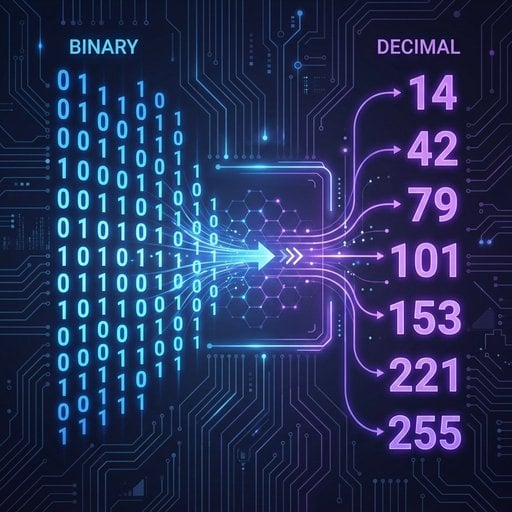
Convert Binary to Decimal Instantly - Free, No Signup Required
DevDeck's Binary to Decimal Converter runs entirely in your browser. Paste any binary value and get the decimal result in seconds - no installation, no account, no friction.
Try Our Free Tool →
Write out the binary number, assign powers of 2 from right to left starting at 2⁰, then multiply each bit by its positional value and sum the results. For an 8-bit number, this takes under 30 seconds once you memorize the powers: 1, 2, 4, 8, 16, 32, 64, 128.
Binary appears in file permissions, bitwise operations, color channel values, IP subnet masks, and binary network protocols. Understanding the conversion helps developers debug faster, write more accurate low-level code, and interpret system output without relying on guesswork or external documentation every time.
Yes, exactly. Binary is base 2 and decimal is base 10. Converting between them means translating a number expressed using powers of 2 into a number expressed using powers of 10. The mathematical process is identical regardless of which terminology you use.
Yes, the method scales to any number of bits. A 16-bit binary number simply extends the positional values up to 2¹⁵ (32,768). For values beyond 8 bits, using a dedicated binary to decimal converter tool is more practical and reduces the risk of arithmetic errors during manual calculation.
Hexadecimal (base 16) is essential for CSS colors, memory addresses, and encoding. Octal (base 8) appears in Unix file permissions. Being comfortable converting between binary, decimal, hex, and octal covers the vast majority of situations a web or systems developer encounters in daily work.