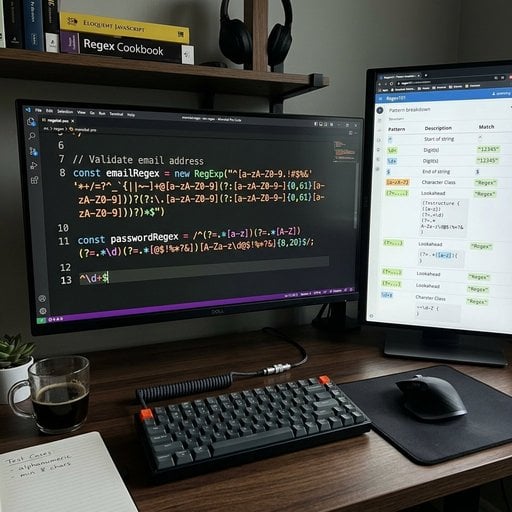
Regex patterns are reusable templates that match specific sequences of characters inside text - think of them as a super-powered "find" tool that works across almost every programming language. Whether you're validating an email address, scrubbing a phone number from a form, or parsing a log file, a handful of well-chosen regular expressions will handle 90% of what you need. This guide collects the most practical patterns, explains exactly what each one does, and shows you how to adapt them.
Content Table
Quick Regex Syntax Refresher
Before jumping into the patterns, here's a cheat-sheet of the building blocks you'll see repeatedly. Even if you've used regex before, it's handy to have these in one place.
| Token | Meaning | Example match |
|---|---|---|
.
|
Any character except newline |
a.c
matches
abc
,
a1c
|
\d
|
Any digit (0-9) |
\d\d
matches
42
|
\w
|
Word character (letters, digits, underscore) |
\w+
matches
hello_world
|
\s
|
Whitespace (space, tab, newline) |
\s+
matches multiple spaces
|
^
/
$
|
Start / end of string |
^\d+$
matches
123
only
|
{n,m}
|
Between n and m repetitions |
\d{2,4}
matches
12
to
1234
|
[abc]
|
Character class - any of a, b, c |
[aeiou]
matches any vowel
|
(?:...)
|
Non-capturing group | Groups without storing a backreference |
(?=...)
|
Positive lookahead | Asserts what follows, without consuming it |
The MDN Web Docs regular expressions guide is the best single reference for JavaScript regex syntax, and most of the patterns below translate directly to Python, PHP, Java, and Ruby with minor flag differences.
Email Validation
Email is the classic regex use case - and also the one most developers get wrong by trying to be too strict. The
RFC 5322 spec
technically allows addresses like
"very unusual"@example.com
, which almost no regex handles. For 99% of real-world input validation, use a pragmatic pattern:
^[a-zA-Z0-9._%+\-]+@[a-zA-Z0-9.\-]+\.[a-zA-Z]{2,}$What each part does:
-
[a-zA-Z0-9._%+\-]+- local part (before the @); allows dots, plus signs, hyphens, underscores -
@- literal at sign -
[a-zA-Z0-9.\-]+- domain name, including subdomains -
\.[a-zA-Z]{2,}- TLD of at least 2 characters (.io, .com, .museum)
URLs and Web Addresses
URL pattern matching covers everything from extracting links out of plain text to validating a user-supplied website field.
https?:\/\/(?:www\.)?[-a-zA-Z0-9@:%._+~#=]{1,256}\.[a-zA-Z0-9()]{1,6}\b(?:[-a-zA-Z0-9()@:%_+.~#?&\/=]*)-
https?- matches bothhttpandhttps -
(?:www\.)?- optional www prefix -
[-a-zA-Z0-9@:%._+~#=]{1,256}- hostname characters, up to 256 chars -
\.[a-zA-Z0-9()]{1,6}- TLD -
\b(?:[-a-zA-Z0-9()@:%_+.~#?&\/=]*)- optional path, query string, and fragment
If you only need to validate (not extract), wrap it with
^
and
$
anchors.
Phone Numbers
Phone numbers are notoriously messy because formatting varies wildly by country and user habit. Two patterns cover most scenarios:
US/Canada (NANP) format
^(\+1[-.\s]?)?(\(?\d{3}\)?[-.\s]?)?\d{3}[-.\s]?\d{4}$
Matches:
555-867-5309
,
(555) 867 5309
,
+1.555.867.5309
,
5558675309
International (E.164 format)
^\+[1-9]\d{6,14}$
E.164 is the format used by most telephony APIs (Twilio, AWS SNS). It starts with a
+
and a country code, no spaces or punctuation.
Dates and Times
Date pattern matching is common in log parsers, form validators, and data pipelines. The format you target depends on your input source.
ISO 8601 (YYYY-MM-DD)
^\d{4}-(0[1-9]|1[0-2])-(0[1-9]|[12]\d|3[01])$US format (MM/DD/YYYY)
^(0[1-9]|1[0-2])\/(0[1-9]|[12]\d|3[01])\/\d{4}$24-hour time (HH:MM or HH:MM:SS)
^([01]\d|2[0-3]):([0-5]\d)(?::([0-5]\d))?$
Note that these patterns validate format, not calendar logic. They'll accept
2024-02-31
(February 31st doesn't exist). For strict date validation, parse with your language's date library after the regex check.
Password Strength Validation
Password rules typically require a mix of character types and a minimum length. Lookaheads make this clean without needing multiple separate checks.
Minimum 8 chars, at least one uppercase, one lowercase, one digit
^(?=.*[a-z])(?=.*[A-Z])(?=.*\d).{8,}$Strong: 8+ chars, uppercase, lowercase, digit, and special character
^(?=.*[a-z])(?=.*[A-Z])(?=.*\d)(?=.*[!@#$%^&*()_+\-=\[\]{};':"\\|,.<>\/?]).{8,}$
Each
(?=.*[...])
is a lookahead that scans the whole string for at least one matching character. The final
.{8,}
enforces the minimum length. You can swap
{8,}
for
{12,}
to enforce 12-character minimums, which aligns with
NIST SP 800-63B guidelines
.
IP Addresses
IPv4
^(?:(?:25[0-5]|2[0-4]\d|[01]?\d\d?)\.){3}(?:25[0-5]|2[0-4]\d|[01]?\d\d?)$
This correctly rejects values like
999.0.0.1
by matching each octet as 0-255 explicitly.
IPv6 (simplified)
^([0-9a-fA-F]{1,4}:){7}[0-9a-fA-F]{1,4}$
This handles the full 8-group format. For compressed notation (e.g.
::1
for loopback), the pattern gets significantly more complex - at that point, parsing with a network library is more reliable than regex.
HTML and Markup
A few targeted patterns are genuinely useful here. The general advice "don't parse HTML with regex" still stands for full documents - use a proper DOM parser like BeautifulSoup or DOMParser for that. But for specific, bounded tasks, regex works fine.
Strip all HTML tags
<[^>]*>
Extract content from a specific tag (e.g. )
</h3>
<div class="code-block-wrapper">
<button class="copy-btn" onclick="copyCode(this)" title="Copy code" type="button">
<i class="fas fa-copy">
</i>
<span>
Copy
</span>
</button>
<pre><code><title>([^<]*)<\/title>
Capture group 1 contains the title text.
Match HTML hex color codes
#([a-fA-F0-9]{6}|[a-fA-F0-9]{3})\b
Matches both 3-digit shorthand (
#fff
) and 6-digit full form (
#ffffff
).
Everyday Utility Patterns
These come up constantly across different types of projects.
Slug (URL-friendly string)
^[a-z0-9]+(?:-[a-z0-9]+)*$
Matches strings like
my-blog-post-2024
. No uppercase, no leading/trailing hyphens, no double hyphens.
Credit card number (basic format, no spaces)
^(?:4[0-9]{12}(?:[0-9]{3})?|5[1-5][0-9]{14}|3[47][0-9]{13}|6(?:011|5[0-9]{2})[0-9]{12})$-
Starts with
4- Visa (13 or 16 digits) -
Starts with
51-55- Mastercard (16 digits) -
Starts with
34or37- Amex (15 digits) -
Starts with
6011or65- Discover (16 digits)
Whitespace normalization (collapse multiple spaces)
\s{2,}Replace matches with a single space to clean up messy user input or scraped text.
Digits only
^\d+$Alphanumeric only
^[a-zA-Z0-9]+$Match a line that contains a word (case-insensitive with flag)
^.*\bword\b.*$
The
\b
word boundary prevents matching
word
inside
password
.
Extract version numbers (semver)
\bv?(\d+)\.(\d+)\.(\d+)(?:-([a-zA-Z0-9.]+))?(?:\+([a-zA-Z0-9.]+))?\b
Captures major, minor, patch, pre-release label, and build metadata from strings like
v2.14.0-beta.1+build.42
.
Flags and Practical Tips
Regex patterns behave differently depending on which flags you apply. The most commonly needed ones:
| Flag | JS | Python | Effect |
|---|---|---|---|
| Case-insensitive |
i
|
re.IGNORECASE
|
Treats uppercase and lowercase as equal |
| Global (find all) |
g
|
re.findall()
|
Returns all matches, not just the first |
| Multiline |
m
|
re.MULTILINE
|
^
and
$
match line boundaries, not string boundaries
|
| Dotall |
s
|
re.DOTALL
|
.
matches newline characters too
|
A few habits that will save you debugging time:
- Always test with edge cases - empty string, maximum length, Unicode characters, and strings that are almost-but-not-quite valid.
-
Use non-capturing groups
(?:...)when you don't need the matched content - it's faster and cleaner than capturing groups. -
Anchor your validation patterns
with
^and$so a valid-looking substring inside an invalid string doesn't slip through. -
Beware catastrophic backtracking
- nested quantifiers like
(a+)+can cause regex engines to hang on crafted input. Keep quantifiers simple and specific. - Use a regex tester while building patterns. regex101.com shows a live match breakdown, explains each token, and lets you switch between PCRE, JavaScript, Python, and other flavors.
Test and validate regex patterns without the guesswork
Building reliable regex patterns for input validation is faster when you have the right tools at hand. Explore our free developer utilities to clean, check, and transform text using regex patterns and more.
Try Our Free Tools →
Greedy quantifiers (like
.*
) match as much as possible and then backtrack. Lazy quantifiers (like
.*?
) match as little as possible. For example, against the string
bold
, the pattern
<.*>
matches the entire string, while
<.*?>
matches just
. Use lazy quantifiers when extracting content between delimiters.
Mostly yes, but there are differences. Python's
re
module uses PCRE-style syntax and supports named groups with
(?P
. JavaScript uses slightly different flag syntax and doesn't support lookbehinds in older engines (pre-ES2018). For cross-language work, stick to the common subset: character classes, quantifiers, anchors, and basic groups.
Regex is fine for format validation in production - it's used in virtually every web framework. The risks are poorly written patterns that allow ReDoS (regex denial-of-service) attacks via catastrophic backtracking. Avoid nested quantifiers, keep patterns specific, and always set a reasonable input length limit before the regex even runs.
In most common engines they're equivalent for ASCII input. The difference appears with Unicode:
\d
in some engines (like Python 3 with Unicode mode) matches digits from other scripts, such as Arabic-Indic numerals. If you strictly want ASCII digits 0-9, use
[0-9]
to be explicit. For most web form validation, the distinction doesn't matter.
You need two things: the
dotall flag
(so
.
matches newlines) and possibly the
multiline flag
(so
^
and
$
anchor to each line rather than the whole string). In JavaScript, use
/pattern/ms
. In Python, combine
re.DOTALL | re.MULTILINE
. Without dotall,
.
stops at line breaks and your pattern won't span lines.