
Regex lookahead and lookbehind are zero-width assertions that let you match a pattern only when it is (or isn't) preceded or followed by another pattern, without actually consuming those surrounding characters in the match. They are the key to writing precise regex patterns that would otherwise require messy workarounds or multiple passes over the same string.
Content Table
What Are Zero-Width Assertions?
In regex, most tokens consume characters. The letter
a
matches an "a" and moves the cursor forward. Lookaheads and lookbehinds are different: they check what is around the current position without advancing the cursor. That "zero-width" behavior is what makes them so powerful for pattern logic.
Think of them as conditions attached to a match. You are not saying "match this AND that." You are saying "match this, but only if that is nearby." The nearby part never ends up in your match result, which is exactly what you want when you need to isolate a value from its context.
Positive Lookahead
A positive lookahead asserts that what follows the current position matches a given pattern. The syntax is
(?=...)
.
Example: match the word "price" only when it is followed by a dollar sign.
price(?=\$)
Against the string
price$ is high but price is negotiable
, this matches only the first "price" because the second one is not followed by
$
. The dollar sign itself is not included in the match.
Another common use: match a number only when it is followed by "px".
\d+(?=px)
This pulls out
16
from
16px
without capturing "px" in the result.
Negative Lookahead
A negative lookahead asserts that what follows does NOT match a pattern. The syntax is
(?!...)
.
Example: match "color" only when it is not followed by "less".
color(?!less)
Against
color colorless
, only the standalone "color" matches. This is useful for filtering out compound words or specific suffixes you want to exclude.
Negative lookaheads are also great for password validation. This pattern matches any string that does NOT contain a digit:
^(?!.*\d).+$Positive Lookbehind
A positive lookbehind asserts that what precedes the current position matches a pattern. The syntax is
(?<=...)
.
Example: match a number only when it is preceded by a dollar sign.
(?<=\$)\d+
Against
$42 and 99 items
, this matches
42
but not
99
. The dollar sign is not part of the match result.
This is particularly handy when parsing structured text. For example, extracting the version number from a string like
version=3.2.1
:
(?<=version=)[\d.]+Negative Lookbehind
A negative lookbehind asserts that what precedes does NOT match a pattern. The syntax is
   (?<!--...)
  </code-->
  .
Example: match "cat" only when it is not preceded by "wild".
(?<!--wild)cat</code-->
Against
cat and wildcat
, only the first "cat" matches.
re
module supports lookbehinds but requires fixed-width patterns inside them.
MDN covers this in detail.
Syntax Reference at a Glance
| Type | Syntax | Meaning | Example |
|---|---|---|---|
| Positive lookahead |
(?=...)
|
Must be followed by |
\w+(?=ing)
|
| Negative lookahead |
(?!...)
|
Must NOT be followed by |
\w+(?!ing)
|
| Positive lookbehind |
(?<=...)
|
Must be preceded by |
(?<=\$)\d+
|
| Negative lookbehind |
       (?<!--...)
      </code-->
|
Must NOT be preceded by |
       (?<!--\d)\d{3}
      </code-->
|
Real-World Examples
Abstract syntax is easy to forget. These concrete scenarios show where regex lookahead and lookbehind actually earn their keep.
Extract file names without extensions
\w+(?=\.txt)
Matches the base name in
report.txt
without capturing ".txt".
Match prices in euros but not dollars
(?<=€)\d+(\.\d{2})?Extracts the numeric value after a euro sign, leaving the currency symbol out of the result.
Validate a password contains at least one uppercase letter
^(?=.*[A-Z]).{8,}$
The positive lookahead
(?=.*[A-Z])
checks the whole string for an uppercase letter without consuming characters, then
.{8,}
enforces minimum length.
Strip HTML tags but keep their content
(?<=>)[^<]+(?=<)
Matches text between tags by asserting it is preceded by
>
and followed by
<
.
For more ready-to-use patterns like these, the RegEx Pal pattern library has a categorized collection you can copy directly into your code.
Combining Lookahead and Lookbehind
You can stack multiple assertions at the same position. Each one is checked independently, and all must pass for the match to succeed.
Example: match a word that is preceded by a space and followed by a comma.
(?<= )\w+(?=,)Example: match a number that is preceded by "$" AND followed by " USD".
(?<=\$)\d+(?= USD)You can also combine a positive and a negative assertion together. This pattern matches a word that is followed by "ed" but not preceded by "un":
(?<!--un)\b\w+(?=ed\b)</code-->Multiple lookaheads for password validation are especially common. This pattern enforces: at least one digit, one uppercase letter, one lowercase letter, and a minimum length of 8.
^(?=.*\d)(?=.*[A-Z])(?=.*[a-z]).{8,}$
Each
(?=...)
block is a separate condition. They all anchor at the start of the string (
^
) and scan forward independently.
If you want to test any of these patterns interactively with real-time match highlighting, the RegEx Testing tool lets you paste your pattern and text and see matches instantly without sending anything to a server.
Common Pitfalls
A few things trip people up when they first start using regex assertions in production.
-
Variable-length lookbehinds in Python:
Python's
remodule requires fixed-width patterns inside lookbehinds.(?<=\d+)will throw an error. Use(?<=\d)or switch to theregexthird-party module which supports variable-width lookbehinds. - JavaScript ES2018 requirement: Lookbehinds are not available in Internet Explorer or older Node.js versions below 10. Lookaheads have been supported since JavaScript's earliest days.
-
Assertions do not capture:
The content inside
(?=...)or(?<=...)is never in your match result or capture groups. If you need it, put it outside the assertion. -
Greedy behavior still applies inside assertions:
(?=.*foo)works because.*is greedy and scans the whole string. But this can cause unexpected backtracking in complex patterns. Keep assertion content simple where possible. - Flavor differences: PCRE (PHP, Perl), Java, .NET, Python, and JavaScript all handle edge cases slightly differently. What works in one flavor may not work in another. The regular-expressions.info lookaround reference is the best cross-flavor comparison available.
Understanding these assertions pairs well with knowing the broader set of patterns developers use daily. If you want a practical reference, common regex patterns every developer should bookmark covers the most frequently needed expressions alongside explanations of how they work.
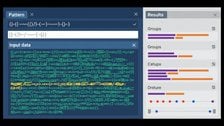
Test Your Regex Lookahead and Lookbehind Patterns Instantly
Paste any regex lookahead and lookbehind expression into our RegEx Testing tool and see matches highlighted in real time. No server requests, no setup, just instant feedback as you type.
Try RegEx Testing Free →
A lookahead checks what comes after the current position in the string, while a lookbehind checks what comes before it. Both are zero-width, meaning neither consumes characters in the match. Lookaheads use the syntax
(?=...)
or
(?!...)
, while lookbehinds use
(?<=...)
or
      (?<!--...)
     </code-->
     . The direction is the only structural difference between them.
Lookaheads have worked in JavaScript since the very beginning. Lookbehinds were added in ECMAScript 2018 (ES9) and are supported in all modern browsers and Node.js 10 and above. Internet Explorer does not support lookbehinds at all. If you need to support legacy environments, lookaheads are the safe choice, and lookbehind logic may need to be rewritten using capture groups instead.
Yes. You can stack as many lookaheads (or lookbehinds) as you need at the same position. Each assertion is evaluated independently, and all must pass for the overall match to succeed. This technique is commonly used in password validation patterns, where separate lookaheads check for digits, uppercase letters, and special characters simultaneously without affecting the main match length.
Python's built-in
re
module requires that the pattern inside a lookbehind has a fixed, known width. Something like
(?<=\d+)
is invalid because
\d+
can match one or more digits. You can work around this by using a fixed quantifier like
(?<=\d{3})
, or by installing the third-party
regex
module, which lifts this restriction and supports variable-width lookbehinds.
No. The content inside a lookahead or lookbehind is never included in your match result or in your numbered capture groups. They are purely conditional checks. If you need the surrounding context to appear in your output, you must place it outside the assertion and inside a regular capturing group. This zero-width behavior is one of the main reasons assertions are so useful for extraction tasks.
Negative lookbehind is useful when you want to match a pattern only when it does not appear in a specific context. Common examples include matching standalone words that are not part of a compound word, extracting numbers that are not part of a larger number sequence, or filtering out matches that follow a particular prefix. The syntax
      (?<!--...)
     </code-->
     lets you express these exclusions cleanly without splitting your logic into multiple passes.